Billing Software
Efficient billing is an important part of every business. Whether you run a retail store, wholesale business, service company, distributor or small enterprise, managing invoices, payments, customer records and stock manually can take unnecessary time and increase the possibility of mistakes.
At MS INFOTECH, we provide professional Billing Software designed to make invoicing, sales management and day-to-day business operations simpler, faster and more organised. Our billing solutions can be customised according to your business type, tax requirements, products and internal workflow.
Smart Billing for Modern Businesses
Our Billing Software helps businesses create professional invoices and maintain important sales information from one central system.
Instead of preparing bills manually, users can generate invoices quickly by selecting customers, products and payment details. The system can automatically calculate totals, taxes, discounts and other configured charges.
Depending on requirements, billing software can support:
- Sales invoices
- Purchase records
- GST billing
- Customer management
- Product management
- Inventory tracking
- Payment records
- Expense management
- Reports
- Barcode support
- Receipt printing
- User roles
The complete feature set can be adapted according to your business needs.
GST Billing Software
For businesses that require tax-based invoicing, our software can be configured for GST-related billing.
The system may include fields such as:
- GSTIN
- HSN/SAC
- CGST
- SGST
- IGST
- Tax percentage
- Taxable value
- Discount
- Invoice total
This helps businesses prepare structured invoices with tax calculations based on the configuration used.
Tax rules and compliance requirements can change, so businesses should ensure that their final billing setup matches the latest applicable accounting and regulatory requirements.
Professional Invoice Generation
Billing Software can generate professional invoices containing all important business and customer details.
Invoices may include:
- Company name and logo
- Business address
- GST details
- Invoice number
- Invoice date
- Customer information
- Product details
- Quantity
- Rate
- Tax
- Discount
- Total amount
- Payment status
Invoices can also be prepared for printing or PDF generation depending on project requirements.
Customer Management
Keeping customer information organised can make billing and follow-up easier.
Our software can maintain customer records including:
- Customer name
- Mobile number
- Address
- GST number
- Previous invoices
- Payment history
- Outstanding amount
When creating a new invoice, existing customer details can be selected instead of entering the same information repeatedly.
Product Management
Businesses dealing with multiple products need an organised product database.
Billing Software can allow administrators to manage:
- Product name
- SKU
- Barcode
- Category
- Purchase price
- Selling price
- Tax rate
- Stock quantity
- Unit
- HSN code
This makes invoice creation faster and reduces repetitive data entry.
Inventory Management
Billing and inventory can be connected so stock information updates when products are sold or purchased.
Inventory features may include:
- Current stock
- Stock-in
- Stock-out
- Purchase entries
- Sales entries
- Low-stock alerts
- Product-wise stock reports
- Stock history
This can help businesses understand available inventory and reduce manual stock tracking.
Barcode Billing
For retail businesses, barcode functionality can make billing faster.
Products can be linked with barcodes so staff can scan an item and automatically add it to an invoice.
Barcode-supported billing can be useful for:
- Grocery stores
- Clothing stores
- Electronics shops
- General retail stores
- Medical-related retail businesses
- Supermarkets
The exact barcode hardware compatibility depends on the device and integration being used.
Sales Management
Billing Software can maintain complete sales information so businesses can review day-to-day transactions.
Sales records may include:
- Invoice number
- Customer
- Products sold
- Payment method
- Paid amount
- Pending amount
- Invoice date
- Salesperson
This data can be used for reports and business analysis.
Purchase Management
In addition to sales, businesses may also need to maintain supplier and purchase information.
Purchase management features can include:
- Supplier details
- Purchase invoice
- Purchased products
- Quantity
- Purchase price
- Tax
- Payment status
- Purchase date
Purchase entries can also update stock levels where inventory integration is enabled.
Payment and Outstanding Management
Businesses need to know which invoices have been paid and which payments are still pending.
Billing Software can maintain payment status such as:
- Paid
- Partially Paid
- Pending
Administrators can review outstanding amounts by customer or invoice.
This provides a clearer picture of receivables and helps businesses plan payment follow-ups.
Expense Management
Businesses may also need to maintain daily expenses alongside sales records.
An expense module can record items such as:
- Office expenses
- Transport
- Rent
- Utilities
- Staff expenses
- Miscellaneous costs
Expense data can then be reviewed through date-based reports.
Reports and Analytics
Reports help business owners understand sales and financial activity more clearly.
Depending on project requirements, Billing Software can provide:
- Daily sales report
- Monthly sales report
- Product-wise sales
- Customer-wise sales
- GST report
- Purchase report
- Expense report
- Outstanding payment report
- Stock report
- Profit-related summaries
Reports can be filtered according to dates and other available criteria.
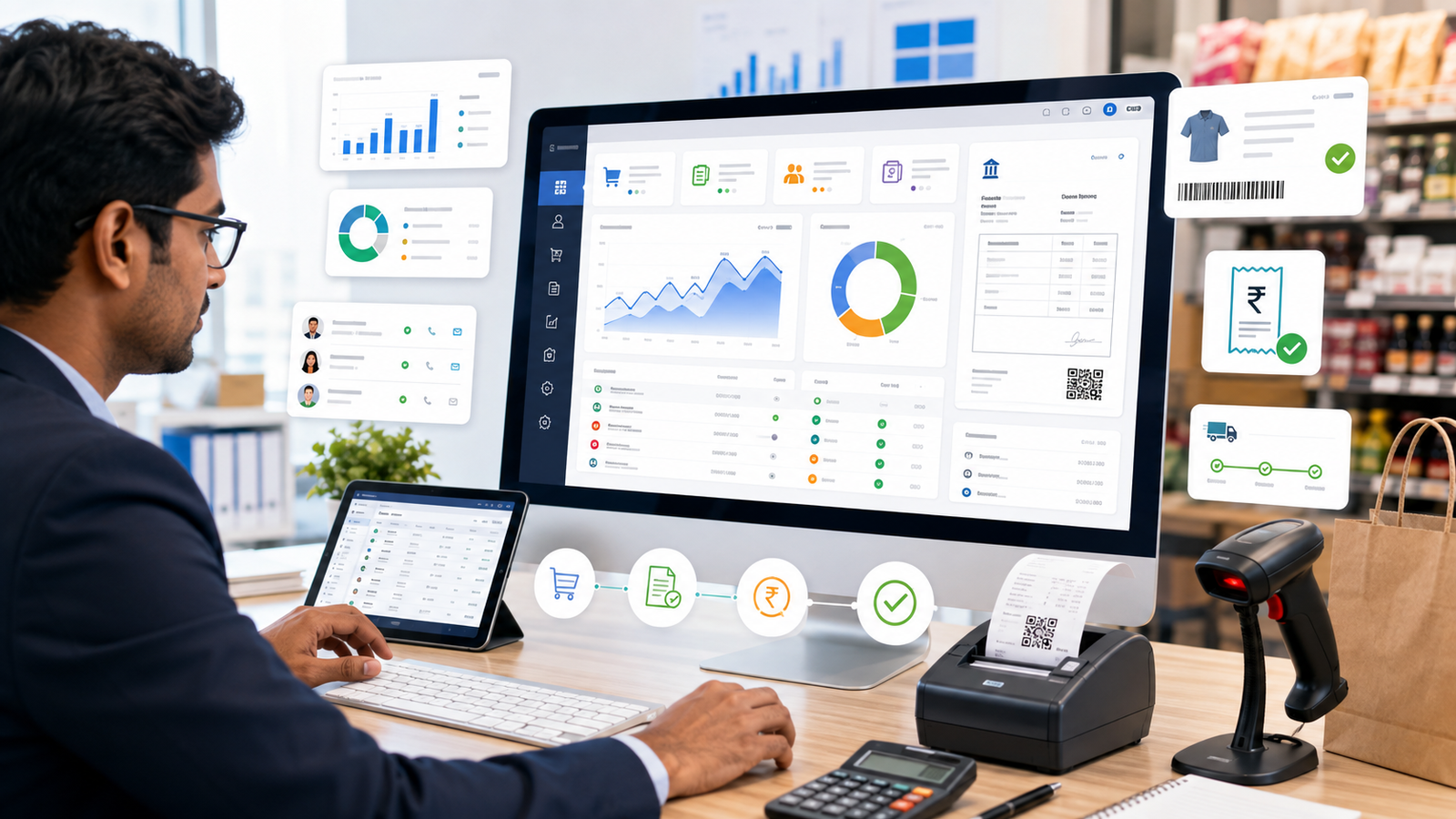
Dashboard Overview
A modern billing system can provide an easy-to-understand dashboard showing important business information.
The dashboard may display:
- Today's sales
- Total sales
- Pending payments
- Recent invoices
- Low-stock products
- Customer count
- Product count
- Sales charts
This helps business owners quickly understand key activity without checking each report individually.
Multiple Payment Methods
Billing Software can record different payment methods according to business requirements.
These may include:
- Cash
- UPI
- Card
- Bank transfer
- Credit
- Other payment modes
Payment information can be stored with the invoice to maintain more organised records.
User Roles and Permissions
For businesses where multiple employees use the billing system, role-based access can be provided.
For example:
Administrator can control the complete software.
Billing Staff can create invoices.
Accountant can review payments and reports.
Manager can access selected reports and business data.
This helps keep administrative functions restricted to authorised users.
Receipt and Thermal Printer Support
Retail billing systems may require smaller receipts instead of full-page invoices.
Depending on requirements and hardware compatibility, software can be configured for thermal receipt printing.
A receipt may include:
- Store name
- Invoice number
- Product list
- Quantity
- Price
- Tax
- Total amount
- Payment method
This can make checkout faster for retail environments.
Web-Based Billing Software
MS INFOTECH can develop Billing Software as a web-based system where required.
A web-based billing solution can allow authorised users to access the software through a browser.
Benefits can include:
- Centralised data
- Multi-user access
- Easy updates
- Access from approved devices
- No separate installation on every computer
The accessibility and deployment model can be selected according to your business requirements.
Custom Billing Software Development
Every business does not follow the same billing process.
Some companies need simple invoices, while others require inventory, purchase management, multiple branches, staff permissions or specialised reports.
MS INFOTECH can customise Billing Software with additional functionality such as:
- Multiple branches
- Multiple users
- Custom invoice formats
- Customer credit limits
- Quotations
- Proforma invoices
- Delivery challans
- Purchase orders
- Supplier management
- Custom reports
- API integrations
The software is planned according to the actual business workflow.
Data Export and Backup
Billing data is valuable and should be handled carefully.
Depending on the solution, records can be exported into formats such as Excel, CSV or PDF.
Backup options can also be configured according to the server or local deployment environment.
Regular backups are recommended to reduce the risk of data loss.
Billing Software Security
Business billing systems may contain customer and transaction information, so secure access is important.
Our development approach can include:
- Secure login
- Password protection
- Role-based access
- Session security
- Database protection
- Input validation
- Restricted administrator functions
The exact level of security depends on the deployment environment and type of software.
Easy-to-Use Interface
A billing system should save time rather than make daily work more complicated.
We focus on creating clean and simple interfaces where important functions are easy to find.
Staff should be able to create bills, find customers, search products and review invoices without navigating through unnecessary steps.
Billing Software for Different Businesses
Our Billing Software can be customised for different business types, including:
- Retail stores
- Wholesale businesses
- Distributors
- Service providers
- Garment stores
- Electronics stores
- Grocery stores
- Agencies
- Small businesses
- Trading businesses
Modules and workflows can be selected according to the industry.
Why Choose MS INFOTECH for Billing Software?
At MS INFOTECH, we focus on developing practical software solutions that simplify routine business activities.
Our Billing Software can combine invoicing, customer records, inventory, payments and reporting within one organised platform.
Our focus includes:
- Easy billing
- Professional invoices
- GST configuration
- Product management
- Customer management
- Inventory control
- Reports and dashboards
- Role-based access
- Custom modules
- Technical support
Instead of forcing businesses to adjust to unnecessary features, we can customise the system around actual operational requirements.
Simplify Your Billing with MS INFOTECH
Manual billing and scattered business records can consume valuable time. A structured Billing Software solution can help businesses create invoices faster, maintain accurate records and gain better visibility over sales and payments.
Whether you need a simple billing system or customised software with inventory, GST, barcode billing and advanced reporting, MS INFOTECH can develop the right solution for your business.
Ready to Upgrade Your Billing Process?
Connect with MS INFOTECH for professional Billing Software with invoicing, GST, inventory, customer management, payment tracking and customised business features.